Use Docker from macOS with the Slicer VM socket
Slicer for Mac can replace the need to run Docker For Mac, but you can also run both if you wish.
Want to run Docker for Mac and SlicerVM together?
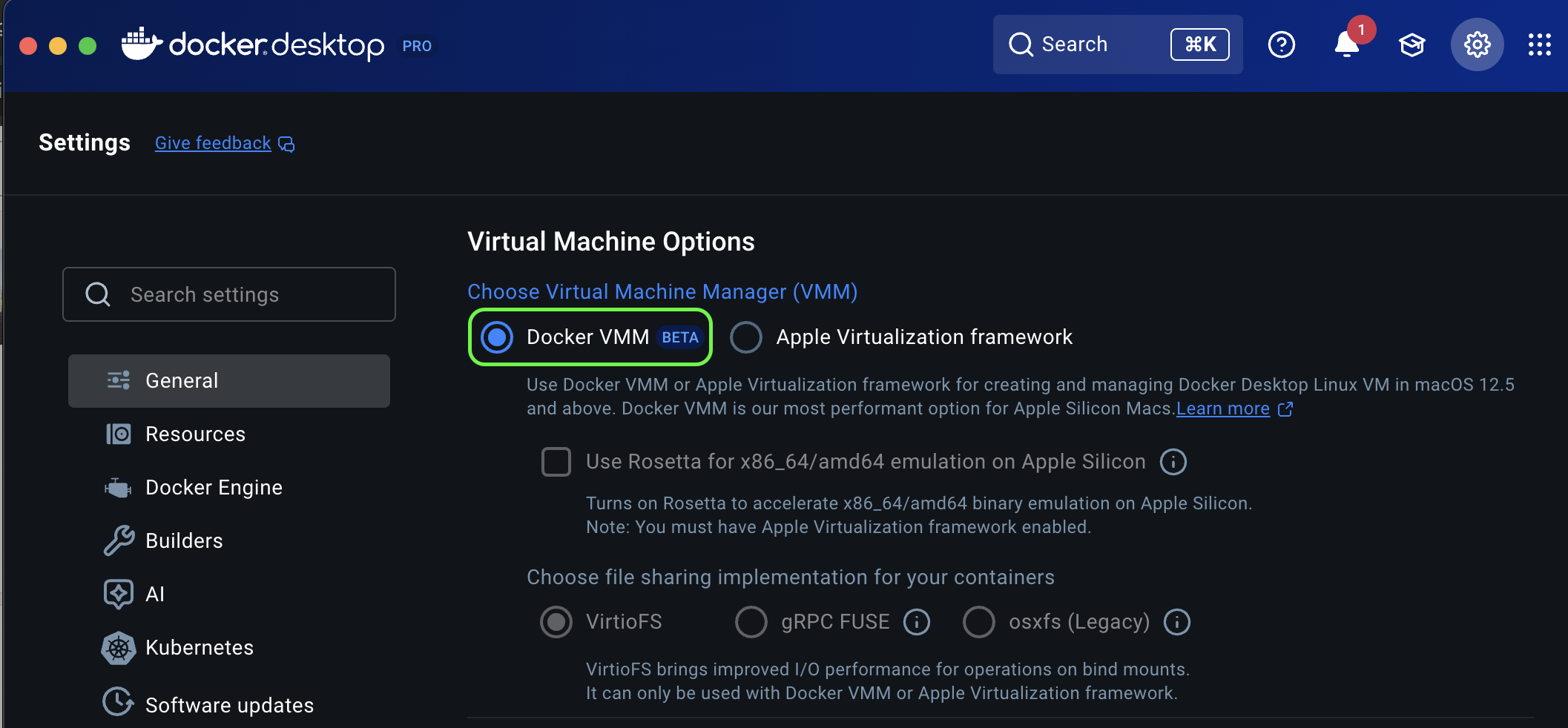
To run both together, configure Docker for Mac to use the Docker VMM option. Docker VMM is a wrapper for libkrun, which will use a different IP range for VMs that does not conflict with the range used by Slicer.
Install and configure Docker in the VM
You can keep Docker running inside slicer-1 and access it from your Mac with the local Docker CLI by forwarding the VM's Unix socket.
slicer vm shell slicer-1

# Install Docker inside Ubuntu
curl -sLS https://get.docker.com | sudo sh
sudo systemctl enable docker --now

# Add the current Ubuntu user to the docker group
sudo usermod -aG docker "$USER"
Log out and back into the VM so the group change is applied:
exit
slicer vm shell slicer-1
Verify Docker works in the VM:
docker ps
Forward the Docker socket to your Mac
Create a Unix socket on the Mac (~/.slicer/docker.sock) that points to
the Docker socket inside the VM:
slicer vm forward slicer-1 -L ~/.slicer/docker.sock:/var/run/docker.sock
Keep this command running for as long as you want to use the local socket.
Use the local Docker client
Point your Mac Docker CLI at the forwarded socket:
export DOCKER_HOST=unix://$HOME/.slicer/docker.sock

docker ps
docker run --rm hello-world
You can also add the DOCKER_HOST export to ~/.zshrc or ~/.bashrc for
persistent access.
Next steps
- Linux VM setup - broader VM setup notes, including K3s forwarding